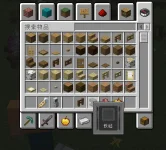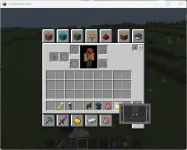
配置我觉得应该是没错的
YAML:
tip:
  match: "default"
  # 这里填写default则是默认匹配
root_control:
  type: "Tip"
  attribute:
    width: 1920
    height: 1080
    autoScale: true
  children:
    panel:
      # 以一个画布控件作为基础,方便我们下面的控件使用锚点对齐
      type: Canvas
      attribute:
        # 这里这个100是左右两边的边缘宽度 + 显示文字的宽度(根据名称或者lore控件的渲染宽度最大值)
        width: 100 + Math.max(val.display.width, val.lore.width)
        # 这里这个156是上下两边的边缘高度 + 槽位高度 + 名称文字高度 + 显示文字的高度(lore控件的渲染高度)
        height: 156 + val.lore.height
      children:
        background:
          # 背景控件使用9SliceTexture,自动根据大小切分九宫格处理拉伸,如果根组件开启自动缩放,四角也会跟随缩放
          type: 9SliceTexture
          attribute:
            textureWidth: 256
            textureHeight: 256
            normal: ~ui/tip/background.png
            left: 16
            right: 16
            top: 16
            bottom: 16
            # 使用stretch_all使该控件宽高完全跟随父级宽高
            point: ~stretch_all
        # 下面这几个控件您只要看过UI的教学都应该会用了,不做过多赘述。
        slot:
          type: Slot
          attribute:
            width: 60
            height: 60
            normal: ~ui/tip/slot.png
            slotType: ~Hover
            itemScale: "0.5"
            point: ~top_center
            y: 30
        display:
          type: Text
          val: display
          attribute:
            texts: Tip.getDisplay()
            fontSize: 40
            point: ~top_center
            y: 105
        text:
          type: Text
          val: lore
          attribute:
            texts: Tip.getLore()
            fontSize: 32
            x: 48
            y: 130